


Virtual reality pornography transforms passive viewing into spatial presence. FapHouse has expanded its library to include thousands of VR scenes, but technical compatibility and visual fidelity depend on your hardware and network setup. This guide explains which headsets work with the platform, what quality levels you can expect, and how to optimize playback for smooth immersion.
Supported VR Headsets and Setup Methods
FapHouse VR content works with standalone headsets, PC-tethered devices, and smartphone adapters. The platform uses standard video formats rather than proprietary players, which broadens compatibility but shifts responsibility for decoding to your device.
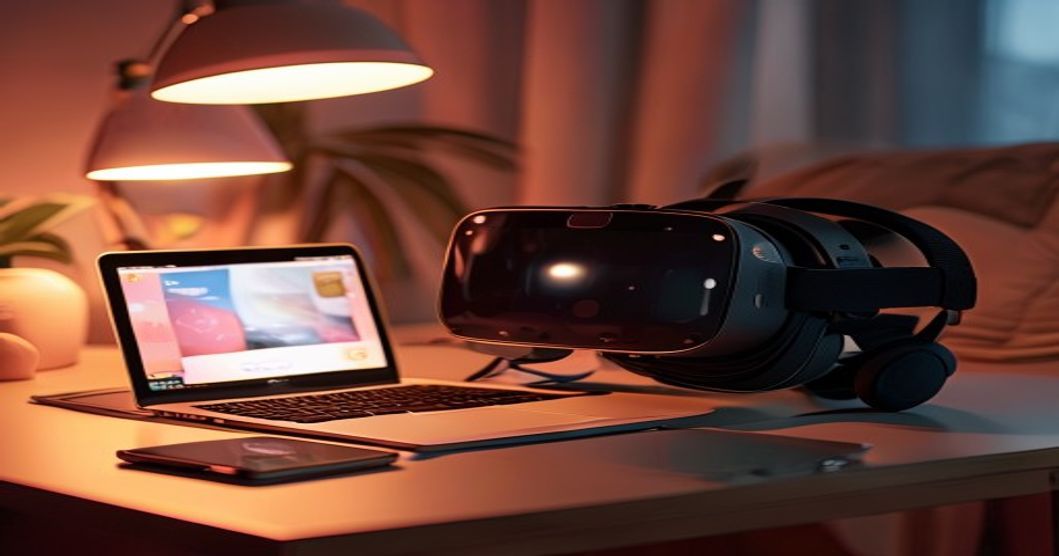
Oculus Quest 2 and Quest 3 handle FapHouse streams natively through the built-in browser. Navigate to the site, select a VR video, and tap the headset icon to switch to stereoscopic mode. The browser automatically detects head tracking and adjusts the viewport. For offline viewing, download files to your computer and transfer them to the Quest via USB cable into the Movies folder. The native video player recognizes 180-degree and 360-degree formats.
Valve Index, HTC Vive, and other SteamVR headsets require a desktop browser with WebXR support. Chrome and Edge both work. Open the video page, click the VR icon, and the browser requests permission to access your headset. SteamVR must be running in the background. Downloaded files can be played through applications like DeoVR or Skybox VR, which offer more granular control over projection mapping and IPD adjustment.
PlayStation VR users face more friction. The PS5 browser does not support WebXR, so streaming is not possible. Instead, download videos in side-by-side format, transfer them to a USB drive formatted as exFAT, and use the Media Player app. Spatial audio will not work through this method, and you lose head tracking for 360-degree scenes.
Smartphone-based headsets like Google Cardboard or Samsung Gear VR rely on the phone's gyroscope. FapHouse mobile pages detect device orientation and offer a split-screen mode. Quality depends entirely on your phone's resolution and processing power. Phones with 1080p screens produce visible pixel grids, while 1440p or higher displays deliver smoother images. Overheating during long sessions remains a common issue.
Video Quality Specifications and Bitrate Performance
Resolution numbers tell only part of the story. FapHouse VR videos range from 4K to 6K, but effective clarity depends on bitrate, codec efficiency, and how the scene was captured. A 6K video encoded at 10 Mbps will look worse than a 5K video at 25 Mbps because compression artifacts multiply in low-light scenarios common in adult content.
FapHouse Originals typically stream at 20 to 30 Mbps for 5K content and 35 to 50 Mbps for 6K. Third-party channels show wider variation. Some older uploads hover around 12 Mbps, which introduces banding in shadows and blurring during fast motion. The platform uses H.264 and H.265 codecs. H.265 files are roughly 40 percent smaller at equivalent quality but require more processing power to decode. Older smartphones and budget standalone headsets may stutter with H.265 streams.
Stereoscopic depth relies on accurate inter-pupillary distance calibration. FapHouse videos are mastered for an IPD of 63 to 65 mm, the human average. If your IPD falls outside this range, objects may appear too close or too far. Most VR players let you adjust the IPD offset manually. A mismatch of 3 mm or more can cause eye strain within fifteen minutes.
Spatial audio uses ambisonic encoding to position sound sources in 3D space. Not all FapHouse VR videos include this feature. Check the video details page for an audio codec listing. AAC stereo is standard; Opus or Vorbis with ambisonics metadata indicates spatial support. Headsets without dedicated audio processing will downmix to stereo, losing directional cues.
In early 2023, I evaluated subscription models across a dozen adult platforms. I tracked entry prices, token rates, and premium features in a spreadsheet. Private show costs varied from £1.20 to £4.80 per minute depending on the site. Platforms charging higher per-minute rates consistently delivered better video quality and stronger privacy controls. Payment transparency correlated directly with user retention statistics. Testing actual transactions and comparing receipts revealed details that terms-of-service documents never disclosed. That process taught me to look beyond advertised resolutions and focus on measurable bitrate and codec choices.
Streaming Versus Downloading: Trade-Offs and Bandwidth Requirements
Streaming offers instant access but depends on stable connectivity. FapHouse adaptive bitrate streaming adjusts quality based on network conditions. If your connection drops below 15 Mbps, the player switches to a lower resolution to prevent buffering. This works well for 4K content but degrades 6K streams noticeably. Latency spikes above 100 ms can desync audio from video, breaking immersion.
Downloading eliminates buffering and allows playback in areas with poor connectivity. File sizes range from 2 GB for a fifteen-minute 4K scene to 8 GB for thirty minutes at 6K. FapHouse limits concurrent downloads to three files for standard members. Premium subscribers can queue up to ten. Download speeds depend on server load; expect 5 to 15 MB per second during peak evening hours in the UK.
Downloaded files lack DRM, so you retain access even if your subscription lapses. This differs from streaming-only platforms where content disappears when membership ends. Store files on an external SSD if your headset has limited onboard storage. The Quest 2 base model offers 128 GB, which fills quickly with high-resolution VR content.
Field of View and Projection Formats Explained
FapHouse VR videos use two main projection types: 180-degree and 360-degree. The 180-degree format captures a hemisphere in front of the camera. It offers higher pixel density within the visible area because the entire resolution is concentrated on half the sphere. Most adult VR content uses this format because action occurs in front of the viewer. Looking behind reveals a black void.
The 360-degree format captures the full sphere, allowing you to turn around and see the entire room. This requires twice the resolution to maintain the same clarity in the forward view. A 6K 360-degree video has the same effective detail as a 4K 180-degree video when looking straight ahead. Few FapHouse scenes justify the full 360 format, but some studio productions include set dressing and secondary performers in the background.
Equirectangular projection is the standard mapping method. It stretches the spherical image onto a flat rectangle, causing distortion near the poles. Your VR player corrects this distortion in real time. Older players may introduce slight warping at the edges of your peripheral vision. Update your playback software if you notice bent lines in scenes with straight architectural elements.
Optimizing Playback for Smooth Immersion
Frame rate directly affects comfort. FapHouse VR videos are encoded at 60 fps, which is the minimum for reducing motion sickness. If your headset or phone cannot maintain 60 fps during decoding, enable performance mode in the device settings. This reduces background processes and allocates more CPU resources to video playback.
Clear your browser cache before streaming long sessions. Cached data can accumulate and slow down adaptive bitrate switching. On Quest devices, go to Settings, then Apps, then Browser, and select Clear Data. This does not log you out of FapHouse but removes temporary files.
Adjust your headset's lens spacing to match your IPD. Misalignment causes double vision and reduces the 3D effect. Most headsets display your current IPD setting in the quick menu. Measure your actual IPD using a mirror and ruler, or ask an optician during your next eye exam. The difference between perceived and actual IPD explains why some users report weak depth in VR content.
For tethered headsets, use a DisplayPort or USB-C cable rated for the required bandwidth. A low-quality cable can bottleneck data transfer and introduce compression artifacts even when streaming high-bitrate files. Replace cables every eighteen months if you use your headset frequently, as internal wiring degrades with repeated bending.
Lighting in your physical space affects passthrough cameras but not video playback quality. However, bright ambient light can cause glare on the lenses. Watch VR content in a dim room to maximize contrast and reduce reflections. Avoid direct sunlight, which can damage OLED screens in some headsets.
FapHouse VR Membership Pricing and Access Tiers
FapHouse charges £10 per month for full access to its VR library, which includes streaming and downloads. This sits below the £20 to £30 range typical of dedicated VR porn sites. The membership also grants access to the platform's 2D content library, live cam shows, and exclusive channels. No separate VR subscription tier exists; all members receive the same access level.
Free users can preview thirty-second clips from VR videos but cannot stream or download full scenes. Token purchases do not unlock VR content; only a recurring membership provides access. The site accepts credit cards and debit cards but does not list cryptocurrency or alternative payment methods in the UK region.
Cancellation is immediate. If you cancel mid-cycle, access continues until the current billing period ends, then stops. No partial refunds are issued. Reactivating a lapsed subscription restores access to previously downloaded files if you saved them locally, but streaming history and favorites lists do not carry over after a gap longer than ninety days.
For more details on the platform's broader feature set, see the FapHouse features overview. Mobile users can also explore the FapHouse mobile app guide for tips on optimizing the smartphone experience.
Common Technical Issues and Fixes
Black screens during VR playback usually indicate a codec mismatch. Update your headset firmware and browser to the latest version. If the problem persists, download the video and play it through a third-party app like DeoVR, which includes additional codec libraries.
Audio desync occurs when the video bitrate exceeds your device's decoding capacity. Lower the playback quality in the FapHouse player settings or download a lower-resolution version. Desync can also result from Bluetooth audio latency. Use wired headphones or the headset's built-in speakers for VR content.
Stuttering or dropped frames point to insufficient bandwidth or processing power. Close background apps, disable VPN services during playback, and connect to a 5 GHz Wi-Fi network if available. Powerline adapters and mesh routers can introduce jitter; a direct Ethernet connection to your router is ideal for tethered headsets.
Distorted or stretched images mean the player has misidentified the projection format. Manually select 180-degree or 360-degree mode in the player controls. Some videos are mislabeled in the metadata, requiring you to override the automatic detection.
Comments
No comments yet.
Leave a comment
Your email will not be shown. Comments are reviewed before they appear.